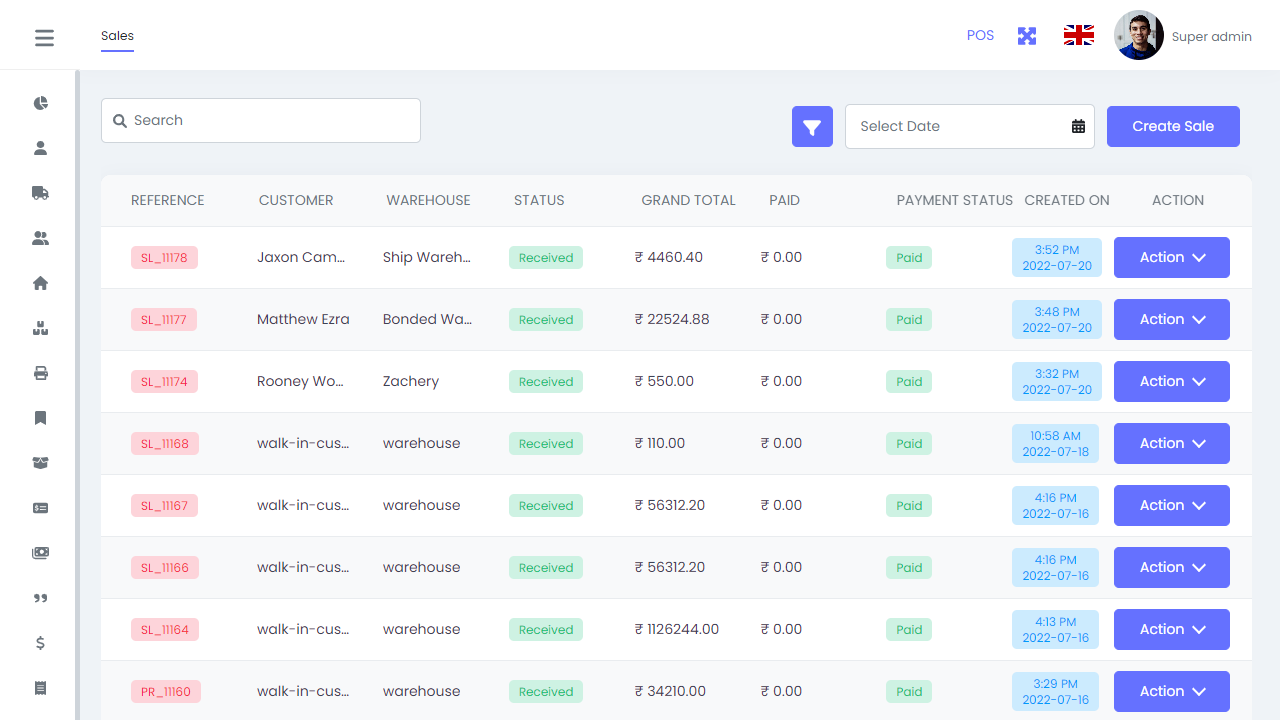
Users Management
Create and manage super admin users with the same rights, so authorized team members can access and operate the POS system securely.


Farishta Tech POS helps businesses manage sales, purchases, customers, warehouses, products, barcode workflows, returns, expenses, and reports from one connected platform built for faster retail operations and better stock visibility.
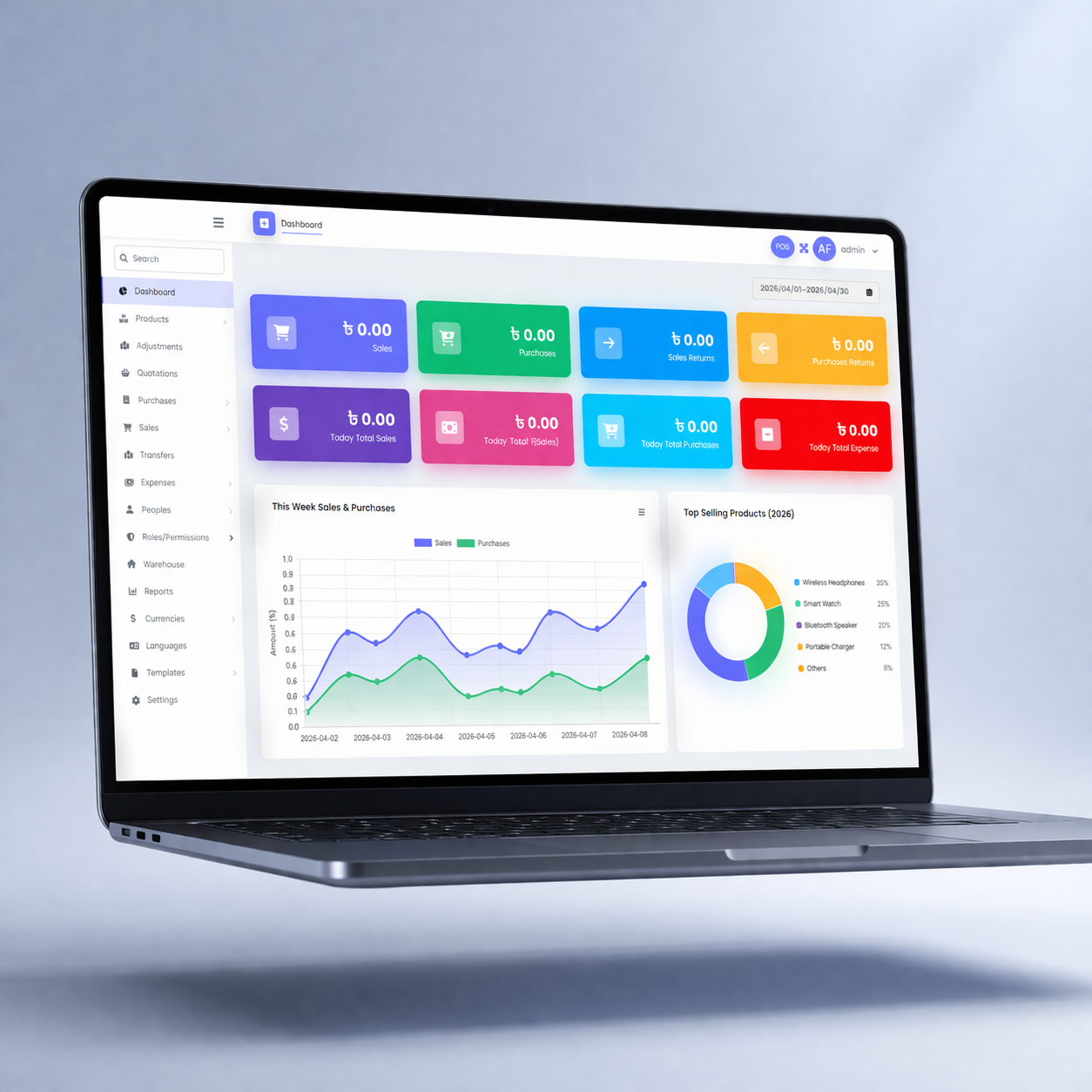
Farishta Tech POS brings together customer management, warehouse-wise stock, products, barcode workflows, purchases, sales, returns, expenses, and reporting into one connected workspace built for retail and distribution businesses.

Create and manage super admin users with the same rights, so authorized team members can access and operate the POS system securely.
Monitor sales, purchases, returns, weekly activity, top selling products, top customers, recent sales, and stock alerts from one informative dashboard.
Create, update, and manage customer records that can be used directly in the POS screen during sales and customer purchase flows.
Track warehouse-wise product quantities, manage stock by location, and return the correct available quantity in the POS screen based on the selected warehouse.
Manage products, brands, categories, units, and barcode symbology with stock alerts to support product setup and inventory control.
Generate and print product barcodes in multiple quantities, preview layouts, and use different paper sizes for practical barcode scanning workflows.
Increase or decrease stock through purchases, sales, purchase returns, and sale returns while keeping quantity changes accurate across warehouses.
Generate warehouse, sales, purchase, stock, and top selling product reports, then manage application name, address, logo, favicon, email settings, and cache tools.
Each module works together inside one platform, so businesses can manage stock, sales, purchases, customers, and reporting with better speed and accuracy.
Create separate super admin users and give authorized operators access to the POS system with the same management rights.
Track weekly sales and purchases, top products, top customers, recent sales, returns, and stock alerts from one dashboard view.
Create, edit, and manage customer records that can be selected directly during POS transactions.
Manage product stock by warehouse, so the system always returns the correct available quantity for the selected location.
Manage products, prices, units, stock alerts, and barcode symbology to keep product setup and inventory control organized.
Print the same barcode multiple times, preview the output, and choose paper sizes for easier barcode-based product handling.
Increase stock through purchases, reduce it through sales, and keep quantity adjustments accurate with purchase return and sale return workflows.
Use warehouse, sales, purchase, stock, and top product reports, support multiple currencies, and manage core application settings.
Instead of checking separate tools for inventory, customer activity, and transactions, businesses can use one system that gives clearer day-to-day retail visibility.
When sales, purchases, barcode workflows, and warehouse updates flow through the same platform, teams spend less time reconciling information and more time serving customers.
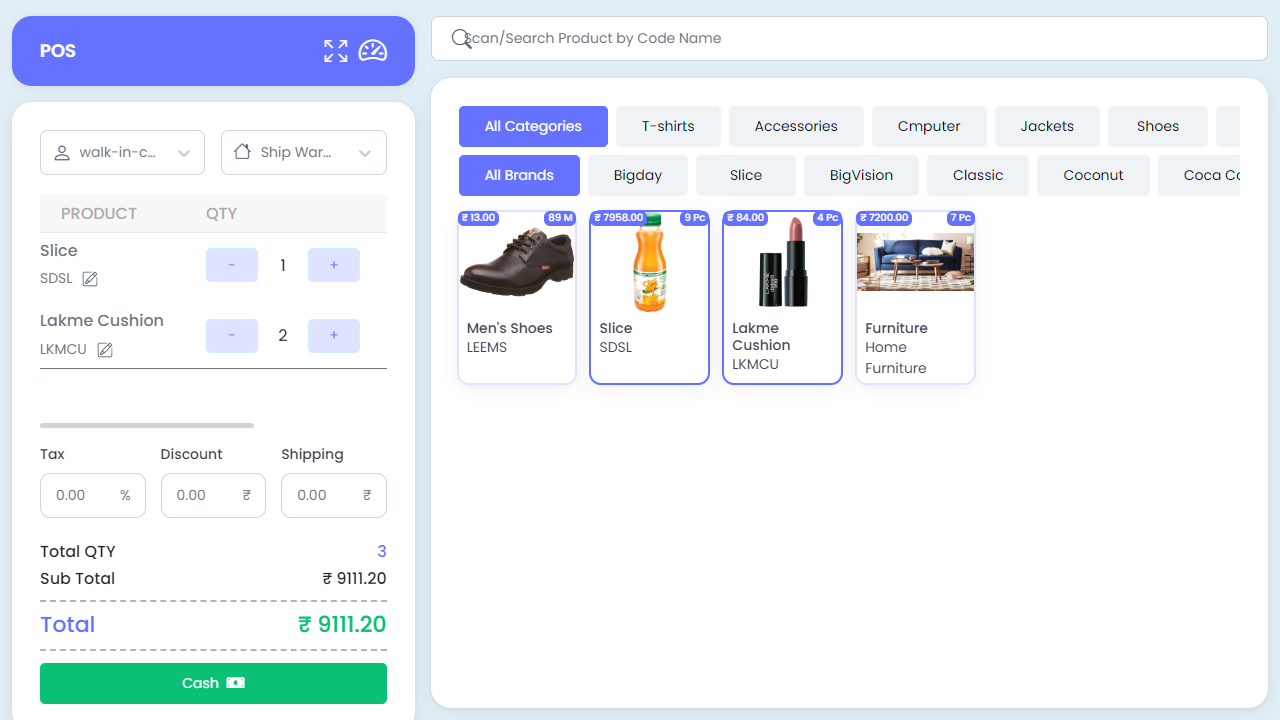
The platform helps businesses improve accountability through user management, warehouse-based quantities, centralized records, and reporting that supports better operational discipline.
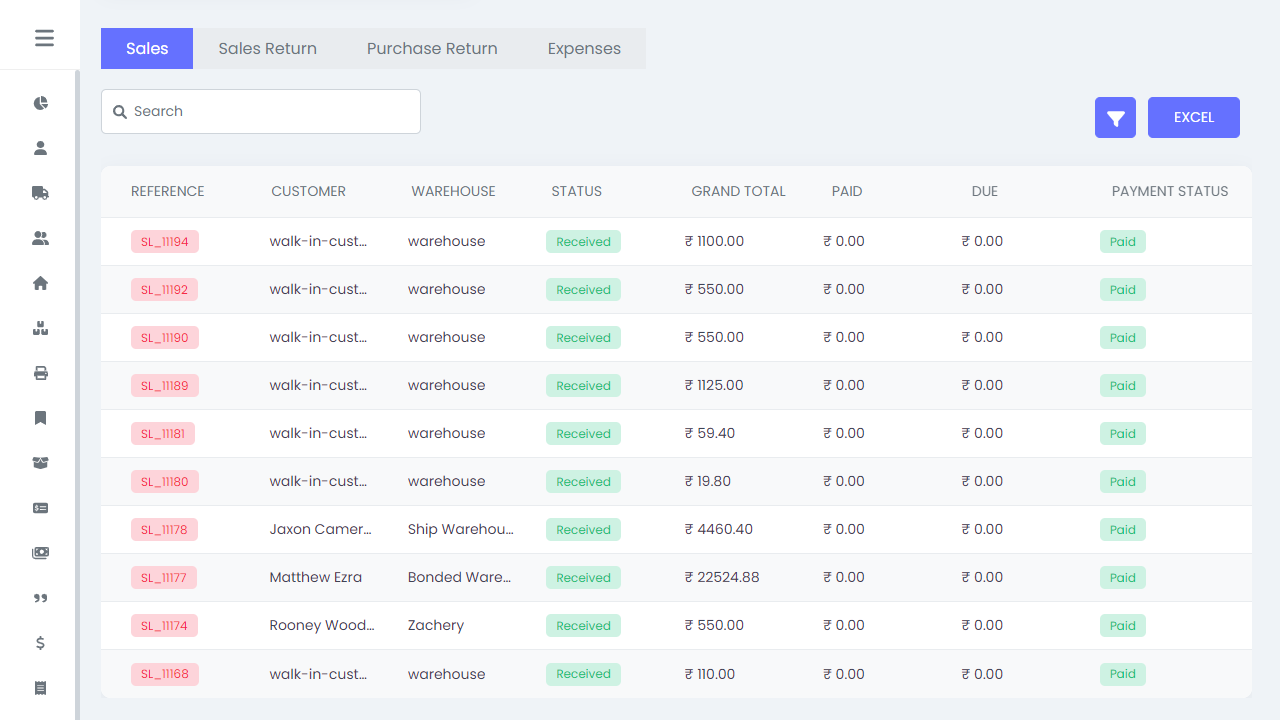
Farishta Tech POS is a strong fit for businesses that have outgrown manual stock handling and disconnected sales tools and need one system to coordinate transactions, inventory movement, warehouse activity, and reporting with more consistency.
Review the live product experience or connect with our team to discuss how the POS can fit your store workflow, warehouse setup, and retail operation model.